Lecture 8: APIs and External Data

Adam Altmejd

The Institute for Evaluation of Labour Market and Education Policy (IFAU)

2026-05-12

Today

  • Web scraping, and why you should try to avoid it
  • What an API is, and why economists meet them
  • HTTP requests, status codes, JSON
  • Calling APIs from R with httr2 — Kolada and SCB
  • Authentication with Google Maps geocoding
  • Rate limits, retries, caching
  • Wrapping an API call as an Agent skill

Where did our municipal data come from?

panel <- fread(here::here(
  "data-sources", "data", "municipal-opportunity-panel",
  "municipal_opportunity_panel_2016_2023.csv"
))
panel[municipality_name == "Stockholm" & year == 2022,
      .(municipality_name, year,
        new_firm_starts_per_1000_16_64,
        share_postsecondary)]
   municipality_name  year new_firm_starts_per_1000_16_64 share_postsecondary
              <char> <int>                          <num>               <num>
1:         Stockholm  2022                       16.16764           0.6219701
  • Data came from an API call
  • By the end of today you can reproduce this row

Web Scraping

  • Web Scraping

  • What is an API?

  • Calling APIs from R: Kolada

  • Example 2: SCB (PxWebApi v2, GET)

  • Authentication and Respectful Use

  • Wrapping API access in an Agent Skill

  • Wrapping Up

The data is on a page, not in a database

  • A web page is full of data. You can see it in your browser, but there is no download button.
  • The provider does not intend for you to get it in bulk, but you want it anyway
  • The last-resort tool is web scraping: read the page’s HTML, walk the divs and classes, pull out the bits you want
  • Useful occasionally — but as you’ll see, fragile and slow

Classical scraping with rvest

  • read_html() downloads and parses the page
  • html_element() picks one element by CSS selector
  • html_table() coerces a <table> into a data frame
library(rvest)
"https://en.wikipedia.org/wiki/List_of_municipalities_of_Sweden" |>
  read_html() |> html_element("table.wikitable") |>
  html_table() |> as.data.table() |> _[1:2, 1:5] |> tt()
Nr Code Municipality Seat County
1 1440 Ale Municipality Nödinge-Nol Västra Götaland County
2 1489 Alingsås Municipality Alingsås Västra Götaland County

Why scraping is fragile

  • CSS selectors break the moment the site is restyled
  • Many pages are JavaScript-rendered — the data is not in the HTML you download
  • Rate limits and Terms of Service may forbid automated access
  • “Quasi-regular” structures (the Craigslist case) need ad-hoc parsing per page
  • Treat any scraper as fragile infrastructure with an expected lifetime

AI agents change the cost structure

  • Old way: open inspector, click around, hand-write a selector, debug
  • New way: send URL to agent, ask it write an rvest pipeline to pull the data you want
  • The hardest part of scraping — finding the right selector — has become cheap
  • Browser use allows agents to see the rendered page just like you would
  • The agent can also help with: “this site renders in JS, can you find the underlying API instead?”

Look for a hidden API before you scrape

Most modern pages render in the browser by fetching JSON content separately. That JSON request is an API call — you can find it:

  1. Open the page in Chrome
  2. DevTools → Network → XHR (Cmd+Opt+I, filter to XHR)
  3. Reload, click around — watch the requests roll in
  4. Click one with a JSON-looking response → copy the URL
  5. Paste it into R: request(url) |> req_perform() |> resp_body_json()

Agents are good at this too: paste a URL and ask “is there a JSON API endpoint behind this?”

What is an API?

  • Web Scraping

  • What is an API?

  • Calling APIs from R: Kolada

  • Example 2: SCB (PxWebApi v2, GET)

  • Authentication and Respectful Use

  • Wrapping API access in an Agent Skill

  • Wrapping Up

API = Application Programming Interface

  • A structured way for software systems to talk to each other
  • The provider sets rules: what you may ask, what they will return
  • We will focus on web APIs: requests sent over HTTP/S
  • The data we want lives behind one

Why care

  • Many public statistics distributed through APIs
  • Reproducibility: an API script documents the source and the query
  • Up-to-dateness: re-run the script to get revised or new data
  • Generate data on demand (e.g. coordinates from addresses)

Web APIs and REST

  • Most public data APIs follow a REST style
  • Built on HTTP, the same protocol as your browser
  • Stateless: each request stands alone, no memory of previous calls
  • A handful of HTTP verbs cover almost everything
    • GET — read something
    • POST — submit a query or create something
    • PUT / PATCH / DELETE — update or remove (rare in data work)

URL requests

https://api.kolada.se/v3/municipality?title=Stockholm
\______/\____________/\_/\__________/\____________/
 scheme       host    Ver Endpoint    Query
  • Schemehttps:// (encrypted) or http:// (avoid)
  • Host — server address
  • Endpoint — which resource on the server (/municipality)
  • Query — key/value parameters after ?, separated by &
  • Versioning often lives in the path (/v3/)

HTTP headers carry metadata

  • Sent alongside the request, not in the URL
  • Common uses:
    • Authorization: Bearer <token> — prove who you are
    • Content-Type: application/json — what you are sending
    • Accept: application/json — what you want back
    • User-Agent: ec7422-student/0.1 — identify your client
  • Servers also send headers back: caching info, rate-limit counters, content type

Status codes summarise the response

  • 3-digit number returned with every response
  • 2xx — success (200 OK, 201 Created)
  • 3xx — redirection (301 Moved Permanently)
  • 4xxyour fault (400 Bad Request, 401 Unauthorized, 404 Not Found, 429 Too Many Requests)
  • 5xxserver fault (500 Internal Server Error, 503 Service Unavailable)
  • Always check the code before trusting the body

JSON

  • Lightweight, text-based, easy for humans and machines
  • Nearly every modern API speaks JSON
  • R parses it into nested lists
{
  "municipality_code": "0180",
  "name": "Stockholm",
  "year": 2023,
  "indicators": {
    "population_total": 984748,
    "share_postsecondary": 0.527
  },
  "source_tables": ["BE0101N1", "UF0506A1"]
}

JSON has two structures

  • Objects: unordered key/value pairs in { ... }
    • Keys are strings (in ""); values can be anything
    • Keys and values are separated by a colon (:)
    • Become named lists in R
  • Arrays: ordered values in [ ... ]
    • Become unnamed lists (or vectors) in R
  • Values are strings, numbers, booleans, null, or nested objects
  • Everything you can express in JSON is some combination of these

Calling APIs from R: Kolada

  • Web Scraping

  • What is an API?

  • Calling APIs from R: Kolada

  • Example 2: SCB (PxWebApi v2, GET)

  • Authentication and Respectful Use

  • Wrapping API access in an Agent Skill

  • Wrapping Up

Kolada: open Swedish municipal database

  • Run by RKA (“Rådet för främjande av kommunala analyser”)
  • Over 6,000 indicators (“KPIs”) for Swedish municipalities and regions
  • Free, no key, no agreement
  • API base: https://api.kolada.se/v3/

httr2

  • Modern HTTP client for R, built on curl
  • Functions designed for pipelines: build the request → perform → inspect
  • Handles JSON parsing, retries, auth, caching

Build the request before you perform it

req <- request("https://api.kolada.se/v3/municipality") |>
  req_url_query(title = "Stockholm") |>
  req_user_agent("ec7422-student/0.1 (student@example.com)")

req
<httr2_request>
GET https://api.kolada.se/v3/municipality?title=Stockholm
Body: empty
Options:
* useragent: "ec7422-student/0.1 (student@example.com)"
  • request() creates a request object — no network call yet
  • req_*() functions add pieces (query params, headers, body)
  • The request is just a description; nothing is sent until req_perform()

Perform and check the status

resp <- req_perform(req)
resp
<httr2_response>
GET https://api.kolada.se/v3/municipality?title=Stockholm
Status: 200 OK
Content-Type: application/json
Body: In memory (155 bytes)
resp_status(resp)
[1] 200
resp_status_desc(resp)
[1] "OK"

Parse the JSON body

body <- resp_body_json(resp)
str(body, max.level = 2)
List of 4
 $ values      :List of 2
  ..$ :List of 3
  ..$ :List of 3
 $ next_url    : NULL
 $ previous_url: NULL
 $ count       : int 2
  • resp_body_json() parses JSON into a nested R list
  • Use str() or View() if you want to click through

Walk the list to find what you want

str(body$values, max.level = 2)
List of 2
 $ :List of 3
  ..$ id   : chr "0001"
  ..$ title: chr "Region Stockholm"
  ..$ type : chr "L"
 $ :List of 3
  ..$ id   : chr "0180"
  ..$ title: chr "Stockholm"
  ..$ type : chr "K"
body$values[[2]]
$id
[1] "0180"

$title
[1] "Stockholm"

$type
[1] "K"

JSON shapes ≠ table shapes

  • JSON: a tree of nested lists, with optional fields and varying depth
  • Table: rectangular, named columns, one type per column
  • Two-step pattern that almost always works:
    1. Find the list of “rows” (the array you want repeated)
    2. Map each list element to a one-row data.table, then rbindlist

lapply + rbindlist is the workhorse

municipalities <- rbindlist(lapply(
  body$values,
  function(entry) {
    data.table(
      municipality_code = entry$id,
      municipality_name = entry$title,
      region_type = entry$type
    )
  }
))
municipalities
   municipality_code municipality_name region_type
              <char>            <char>      <char>
1:              0001  Region Stockholm           L
2:              0180         Stockholm           K

Preparing a KPI lookup in Kolada

Kolada has 6000+ indicators. Say we want “new firm starts per 1000 inhabitants aged 16-64”. How do we find the code for that?

  • Two ways to find one:
    1. Browse https://kolada.se/ by topic
    2. Hit /v3/kpi?title=<keyword> and read the matches
hits <- request("https://api.kolada.se/v3/kpi") |>
  req_url_query(title = "nystartade företag") |>
  req_perform() |>
  resp_body_json()

rbindlist(lapply(hits$values, \(v)
  data.table(id = v$id, title = v$title)))
       id                                        title
   <char>                                       <char>
1: N00999 Nystartade företag, antal/1000 inv, 16-64 år
2: N01003                    Nystartade företag, antal

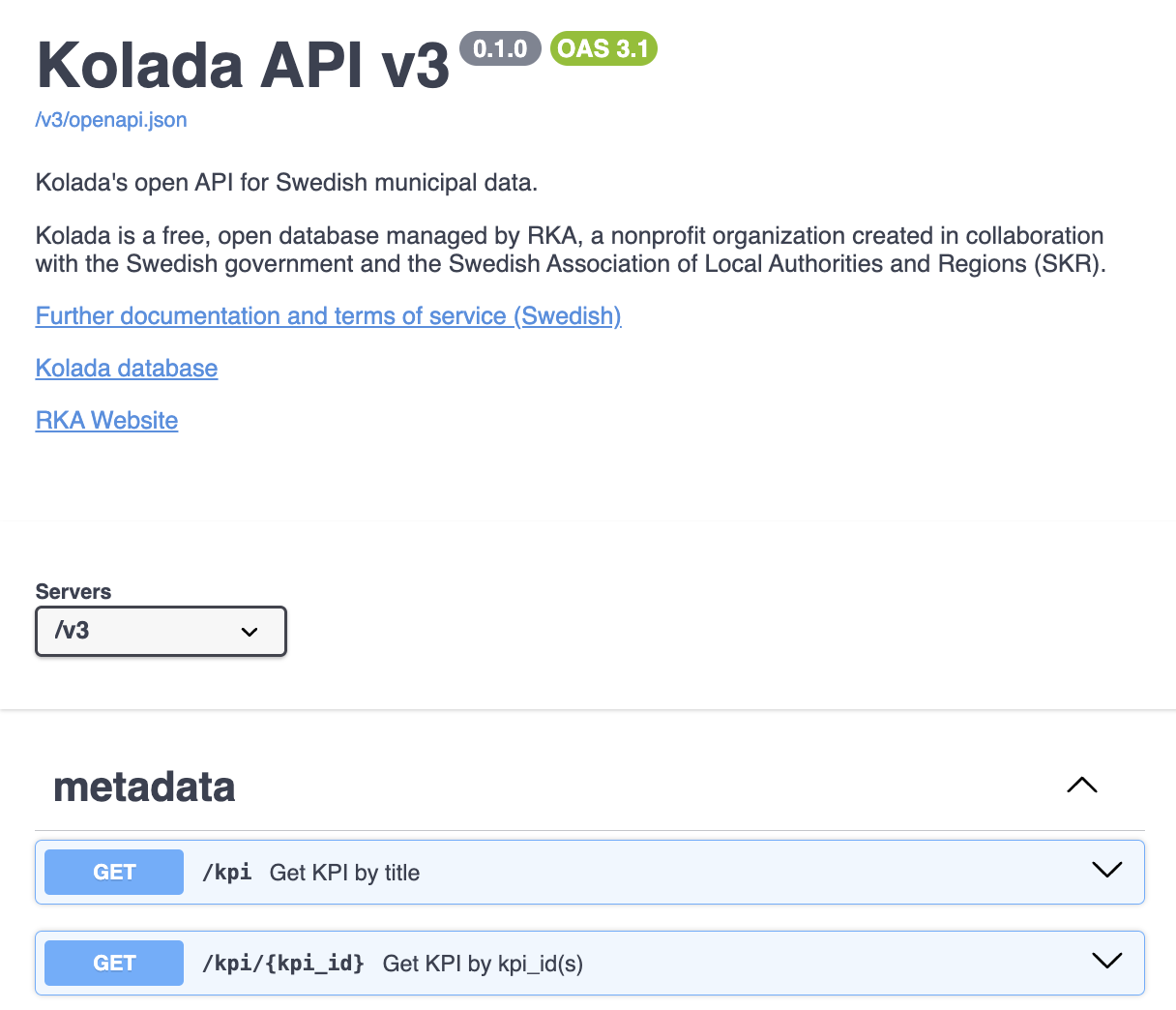
Many APIs document themselves: OpenAPI / Swagger

See https://api.kolada.se/v3/docs

Confirm the KPI before fetching values

kpi <- request("https://api.kolada.se/v3/kpi/N00999") |>
  req_perform() |>
  resp_body_json()

kpi$values[[1]]$title
[1] "Nystartade företag, antal/1000 inv, 16-64 år"
kpi$values[[1]]$description
[1] "Antal nystartade företag delat med antalet tusen invånare, 16-64 år, föregående år. Ett nystartat företag definieras enligt Eurostat rekommendation som ett helt nystartat företag frånräknat olika former av ombildningar av existerade företag. Enskilda näringsidkare vilka inte registrerat firmanamn hos Bolagsverket ingår. Data bygger på bearbetningar av SCB:s företagsregister. Källa: Tillväxtanalys"
  • N00999: new firm starts per 1000 inhabitants aged 16-64
  • The catalogue endpoint returns metadata, not data values
  • Read the description and unit before you trust the numbers

Fetch the values for one KPI, one year

firms_2022 <- request("https://api.kolada.se/v3/data/kpi/N00999/year/2022") |>
  req_url_query(region_type = "municipality") |>
  req_perform() |>
  resp_body_json()

length(firms_2022$values)
[1] 290
str(firms_2022$values[[1]])
List of 4
 $ values      :List of 1
  ..$ :List of 5
  .. ..$ gender   : chr "T"
  .. ..$ count    : int 1
  .. ..$ status   : chr ""
  .. ..$ value    : num 13.1
  .. ..$ isdeleted: logi FALSE
 $ kpi         : chr "N00999"
 $ period      : int 2022
 $ municipality: chr "0114"
  • One entry per municipality
  • Each entry is a small nested object with the value and metadata

Flatten into a table

extract_value <- function(entry) {
  data.table(
    municipality_code = entry$municipality,
    year = as.integer(entry$period),
    new_firm_starts_per_1000 = as.numeric(entry$values[[1]]$value)
  )
}

firms_dt <- rbindlist(lapply(firms_2022$values, extract_value))
firms_dt[order(-new_firm_starts_per_1000)][1:5]
   municipality_code  year new_firm_starts_per_1000
              <char> <int>                    <num>
1:              2321  2022                 22.05882
2:              0162  2022                 17.57945
3:              1278  2022                 17.12701
4:              2326  2022                 17.10977
5:              2510  2022                 16.77852

Many years: one call per year

years <- 2016:2023
firms <- rbindlist(lapply(years, function(y) {
  request(sprintf("https://api.kolada.se/v3/data/kpi/N00999/year/%d", y)) |>
    req_url_query(region_type = "municipality") |>
    req_perform() |>
    resp_body_json() |>
    (\(p) rbindlist(lapply(p$values, extract_value)))()
}))
firms[1:2]
   municipality_code  year new_firm_starts_per_1000
              <char> <int>                    <num>
1:              0114  2016                     14.2
2:              0115  2016                     12.4
  • Same lapply() pattern as multi-file reading from L7
  • One iteration per request, one stacked table at the end
  • Careful to not send too many requests at once — respect the provider’s rate limits (coming up!)

Example 2: SCB (PxWebApi v2, GET)

  • Web Scraping

  • What is an API?

  • Calling APIs from R: Kolada

  • Example 2: SCB (PxWebApi v2, GET)

  • Authentication and Respectful Use

  • Wrapping API access in an Agent Skill

  • Wrapping Up

What SCB exposes

  • Statistics Sweden’s Statistical Database (PxWeb) — ~5,000 tables
  • Each table = multi-dimensional (region × age × sex × year × …)
  • New PxWebApi v2 (October 2025) — GET-based, stable table IDs
  • API table prefix: https://statistikdatabasen.scb.se/api/v2/tables/
  • Free, no key. Rate limit: 30 requests / 10 seconds per IP

SCB tables: pin the dimensions you want

  • A request says which slice of the multi-dimensional data to return
  • Variables are either eliminable (server can aggregate them away) or not
  • Pin the ones you care about; drop the rest from the URL
  • Mandatory dimensions are usually ContentsCode (the metric) and Tid (the period)

Where to find codes?

  • The SCB API hosts ~5,000 tables — you find one, then keep its short ID in the script
  • Two equivalent paths:
    1. https://www.statistikdatabasen.scb.se/ — click through to the data you want, at the bottom there is an “API” button that shows the URL
    2. Call the query endpoint: /tables?query=<keyword>&lang=en — same database, JSON

Querying tables

hits <- request("https://statistikdatabasen.scb.se/api/v2/tables") |>
  req_url_query(query = "population marital status", lang = "en", pageSize = 3) |>
  req_perform() |>
  resp_body_json()

rbindlist(lapply(hits$tables, \(t)
  data.table(id = t$id, label = t$label, period = paste0(t$firstPeriod, "–", t$lastPeriod))))
        id                                                                  label
    <char>                                                                 <char>
1:  TAB638     Population by region, marital status, age and sex.  Year 1968-2024
2: TAB5557           Population by region, marital status, age and sex. Year 2025
3: TAB2819 Mean population by region, marital status, age and sex. Year 2006-2024
      period
      <char>
1: 1968–2024
2: 2025–2025
3: 2006–2024

Fetch table metadata

TAB638 = “Population by region, marital status, age and sex”

scb_base <- "https://statistikdatabasen.scb.se/api/v2/tables/TAB638"

meta <- request(paste0(scb_base, "/metadata")) |>
  req_url_query(lang = "en") |>
  req_perform() |>
  resp_body_json()

names(meta$dimension)
[1] "Region"       "Civilstand"   "Alder"        "Kon"          "ContentsCode"
[6] "Tid"         
  • Each entry in dimension is a variable with codes and labels
  • extension$elimination = TRUE means we can drop that variable from the request
sapply(meta$dimension, \(d) d$extension$elimination)
      Region   Civilstand        Alder          Kon ContentsCode          Tid 
        TRUE         TRUE         TRUE         TRUE        FALSE        FALSE 

Content codes: which metric do you want?

A single table can hold several metrics. ContentsCode is the dimension that picks one.

unlist(meta$dimension$ContentsCode$category$label)
           BE0101N1            BE0101N2 
       "Population" "Population growth" 

Same for other dimensions — category$label to see the codes

head(unlist(meta$dimension$Region$category$label), 4)
                00                 01               0114               0115 
          "Sweden" "Stockholm county"   "Upplands Väsby"       "Vallentuna" 

Build the GET URL

resp <- request(paste0(scb_base, "/data")) |>
  req_url_query(
    lang = "en",
    `valueCodes[Region]` = "0114,0180,1480,2480",
    `valueCodes[Tid]` = "top(5)",
    `valueCodes[ContentsCode]` = "BE0101N1",
    outputFormat = "json-px"
  ) |>
  req_perform()

resp_status(resp)
[1] 200
  • Pin Region (four municipalities), Tid (last 5 years), and the metric
  • Drop Civilstand, Alder, Konelimination = TRUE lets the server aggregate them
  • top(5) selects; * (all) and range(2010,2020) also work

Parse the response

payload <- resp_body_json(resp)
str(payload$columns)
List of 3
 $ :List of 3
  ..$ code: chr "Region"
  ..$ text: chr "region"
  ..$ type: chr "d"
 $ :List of 3
  ..$ code: chr "Tid"
  ..$ text: chr "year"
  ..$ type: chr "t"
 $ :List of 3
  ..$ code: chr "BE0101N1"
  ..$ text: chr "Population"
  ..$ type: chr "c"

Save the column names

column_codes <- sapply(payload$columns, `[[`, "code")
column_codes
[1] "Region"   "Tid"      "BE0101N1"

Parse the response (cont.)

population <- rbindlist(lapply(payload$data, function(row) {
  setnames(as.data.table(as.list(c(row$key, row$values))), column_codes)
}))
population[, BE0101N1 := as.integer(BE0101N1)]
population[1:2]
   Region    Tid BE0101N1
   <char> <char>    <int>
1:   0114   2020    47184
2:   0114   2021    47820
  • Same lapply + rbindlist shape as Kolada — the cube unpacks one row at a time
  • row$key is the dimension values, row$values is the metric(s)

Authentication and Respectful Use

  • Web Scraping

  • What is an API?

  • Calling APIs from R: Kolada

  • Example 2: SCB (PxWebApi v2, GET)

  • Authentication and Respectful Use

  • Wrapping API access in an Agent Skill

  • Wrapping Up

When you need a key

  • Most public statistics APIs (SCB, Kolada, OECD): no key
  • Private or commercial APIs (Google Maps, Twitter/X): key required
  • Some tiered APIs (e.g., FRED): key unlocks features
  • A key identifies who is calling — for billing and rate-limit accounting

Geocoding: address → coordinates

  • Geocoding is turning a street address into latitude/longitude
  • Useful when you want to merge data on location (e.g. distance to nearest school)
  • Google Maps Platform offers a generous free tier and good Swedish coverage
  • Endpoint: https://maps.googleapis.com/maps/api/geocode/json
  • Requires a personal API key from https://mapsplatform.google.com/

Environment variables: where the key lives

  • Never paste a key into a script or commit it to Git
  • Define it once, outside your project, e.g. in ~/.Renviron:
# ~/.Renviron — one KEY=value per line, no quotes needed
GMAPS_API_KEY=AIzaSyD...your-real-key-here
  • Edit with usethis::edit_r_environ(), then restart R
  • Read at runtime with Sys.getenv("GMAPS_API_KEY")

Two ways APIs accept keys

  • Query parameter: ...?key=ABC123
    • Visible in URL and in server logs — less secure
    • Common for low-stakes calls (Google Maps, basic stats APIs)
  • Authorization header: Authorization: Bearer ABC123
    • Not logged with the URL, slightly safer
    • Standard for OpenAI, GitHub, most modern APIs
# Query-parameter form (Google Maps)
request(url) |>
  req_url_query(key = Sys.getenv("GMAPS_API_KEY")) |>
  req_perform()

# Header form (OpenAI, GitHub, ...)
request(url) |>
  req_auth_bearer_token(Sys.getenv("OPENAI_API_KEY")) |>
  req_perform()

Geocoding Stockholms universitet

geo <- request("https://maps.googleapis.com/maps/api/geocode/json") |>
  req_url_query(
    address = "Stockholms universitet, Stockholm, Sweden",
    key = Sys.getenv("GMAPS_API_KEY")
  ) |>
  req_perform() |>
  resp_body_json()

geo$results[[1]]$geometry$location
#> $lat
#> [1] 59.36546
#>
#> $lng
#> [1] 18.05518
  • Same pipeline as before
  • Only difference: the key argument to authenticate

Rate limits

  • Public APIs cap how often you may call them
  • SCB v2: 30 requests per 10-second window per IP
  • Kolada: no published limit, but be polite
  • Google Maps Geocoding: free tier ≈ 10,000 requests / month
  • X-RateLimit-Remaining and Retry-After tell you where you stand
  • Going over the limit returns 429 Too Many Requests

Slow yourself down

for (year in years) {
  fetch_one_year(year)
  Sys.sleep(0.4)   # stay well under SCB's 30-per-10-seconds limit
}
  • A simple Sys.sleep() between calls is often enough
  • Keep sleeps short but not zero — even for unlimited APIs

Handle transient failures with req_retry

request(url) |>
  req_retry(
    max_tries = 3,
    backoff = \(n_failed) n_failed * 2 # seconds to wait
  ) |>
  req_perform()
  • Network blips, momentary 503s, and 429s are normal
  • req_retry() re-sends after waiting, with backoff
  • It also reads Retry-After headers automatically when present

Cache to disk so you do not re-fetch

request(url) |>
  req_cache(tools::R_user_dir("ec7422-cache", which = "cache")) |>
  req_perform()
  • httr2 can keep a local cache keyed by URL and headers
  • Repeats during development become free
  • Add a manual invalidation strategy — APIs do change

Identify yourself

  • Set a meaningful User-Agent so providers can contact you on abuse
    • req_user_agent("ec7422-student/0.1 (student@example.com)")
  • Read the documentation. Some APIs require it (Nominatim, met.no)
  • Cite the source in any output that uses the data

Wrapping API access in an Agent Skill

  • Web Scraping

  • What is an API?

  • Calling APIs from R: Kolada

  • Example 2: SCB (PxWebApi v2, GET)

  • Authentication and Respectful Use

  • Wrapping API access in an Agent Skill

  • Wrapping Up

From an API call to a skill

  • An agent skill is a small package that tells an agent
    • what a capability does
    • when to reach for it
    • how to call it
  • Folder with a SKILL.md runbook plus helper R scripts
  • Same idea as L5: Skill is now pointed outward at an API

What a fetch-scb skill should do

Help any caller — agent or human — pull statistics from SCB without re-learning the API every time.

  • Search for table candidates - return candidate TAB#### IDs and labels
  • Inspect a table ID - list (eliminable/not) dimensions, codes
  • Slice a table ID - fetch and parse into a tidy data.table
  • Iterate politely — sleep between calls, retry on fail, cache repeats
  • Cite — return the table ID, ContentsCode, API call

SKILL.md — the runbook the agent reads

---
name: fetch-scb
description: Search SCB tables and fetch tidy slices as R data.table. Use for Swedish official-statistics questions by region, year, or demographic.
---

# fetch-scb

R scripts for searching, querying, and parsing live in `scripts/`:

- `scripts/scb_search.R` defines `scb_search_tables(...)` for finding relevant tables by keyword
- `scripts/scb_meta.R` defines `scb_metadata(...)` for fetching data codes and slicing dimensions
- `scripts/scb_query.R` defines `scb_query(...)` for fetching and parsing tidy data

## Workflow

1. If the user names a topic, search with `scb_search_tables(...)`. Show top hits, ask which to use.
2. `scb_metadata(...)`: confirm metric (`ContentsCode`) and dimensions.
3. `scb_query(...)`: with `selections` listing only the dimensions to pin

...

Layout: small folder, one job per script

in_class_examples/lecture_8/fetch-scb/
├── SKILL.md
└── scripts/
    ├── scb_search.R   # search_scb_tables(query, page_size = 10)
    ├── scb_meta.R     # scb_metadata(table_id), dim_codes(meta, dim)
    └── scb_query.R    # scb_query(table_id, selections, years)
  • One helper script per capability, each callable from R or from the agent’s tool layer
  • Helpers are normal R functions — write tests, run them at the REPL, ship them in the skill

A skill grows institutional memory

  • SKILL.md is where that knowledge lives — versioned with the project, re-read on every call
  • More wisdom over time — append, don’t rewrite
## Gotchas
- **Labour-market series breaks in 2022.** Pre-2022 lives in one table,
  2022+ in another. The series is *not* seamless — keep a `source_table`
  column so the join is auditable.
- **414 URI Too Long.** `valueCodes[Alder]` with many ages overflows the
  URL. Split age ranges into chunks of ≤ 25 codes and `rbindlist`.
- **Income is in price-base amounts (`pbb`)**, not SEK. Join the yearly
  `prisbasbelopp` to convert. Real-terms comparisons need the index too.

Why a skill, not just a script

  • Discoverable: the agent finds it when relevant
  • Interactive: the agent can ask questions and help you search
  • Single source of truth: API quirks and rate-limit rules in one place
  • Adaptable: the agent can adjust parameters on the fly (e.g., “fetch 2010–2020 instead of just 2022”)
  • Transferable: same shape works for fetch-eurostat, fetch-fred, fetch-worldbank

Wrapping Up

  • Web Scraping

  • What is an API?

  • Calling APIs from R: Kolada

  • Example 2: SCB (PxWebApi v2, GET)

  • Authentication and Respectful Use

  • Wrapping API access in an Agent Skill

  • Wrapping Up

Main takeaways

  • Look for an API before you scrape — and look for a hidden API before you give up
  • httr2 pipeline: request → req_*() → req_perform → resp_body_json
  • Nested JSON → table = lapply + per-row constructor + rbindlist
  • Keep keys in ~/.Renviron; pull with Sys.getenv()
  • Respect rate limits, retry transient failures, identify yourself politely
  • Wrap a working call as an agent skill — you and your agents both get it for free

Next lecture: LLMs for data processing

  • Structured extraction, classification, and summarisation
  • Validation and failure documentation