Lecture 6: Data Wrangling I

Adam Altmejd

The Institute for Evaluation of Labour Market and Education Policy (IFAU)

2026-04-28

Today

  • Importing real files
  • Core data.table grammar: DT[i, j, by] and tooling
  • Missing-values and type repair
  • Writing a cleaned file back to disk
  • Wrangling with functions

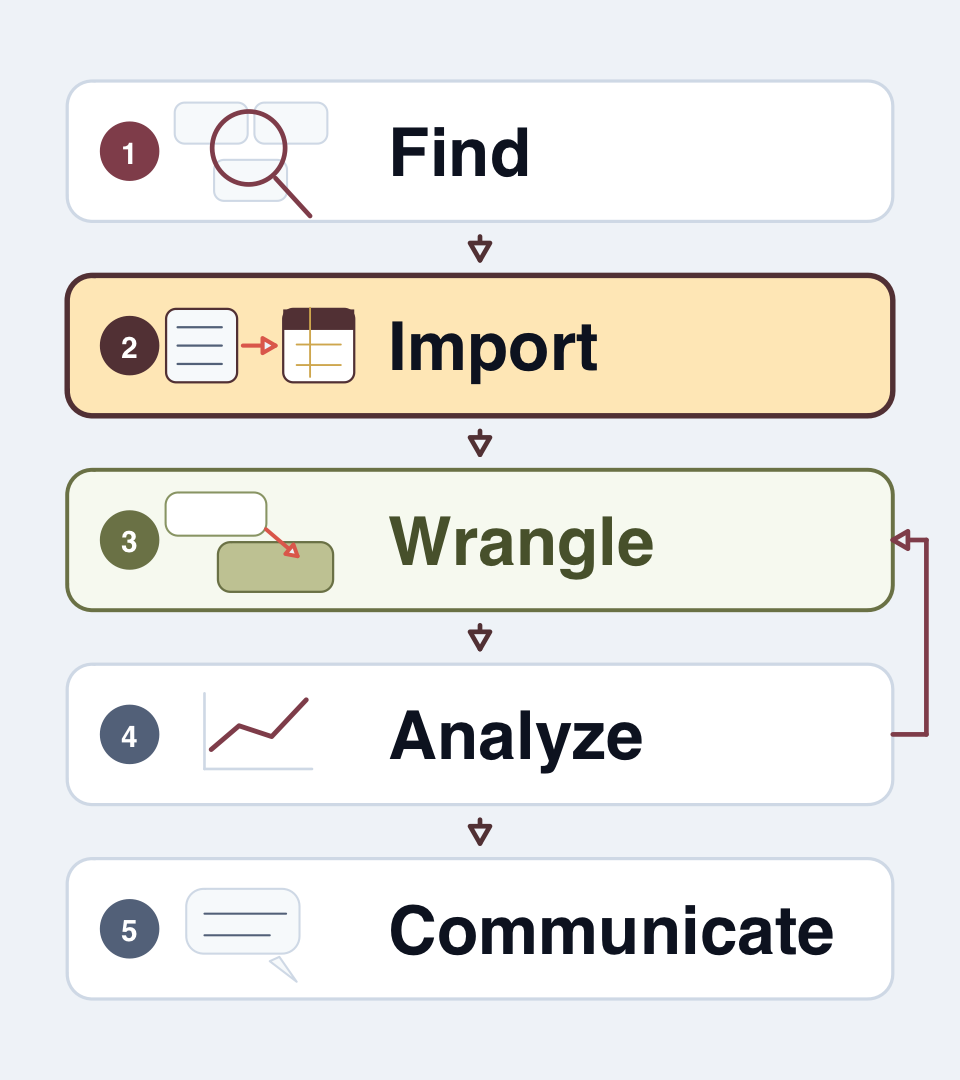
Importing: Raw data is not always easy to read

  • A file is just bytes
  • Import decides:
    • delimiter
    • types
    • encoding
    • missing-values
  • Inspection checks whether those choices were sensible

Wrangling: Make data usable for analysis

  • Clean inconsistencies
  • Tidy data
  • Transform data, create variables

Importing Data

  • Importing Data

  • Core data.table Grammar

  • Useful data.table Tooling

  • Grouping and Summarizing

  • Missing Values And Type Repair

  • Writing Clean Data

  • Using Functions when Wrangling

Repeating the import checklist

Before doing any real work, ask:

  • Where is the file, and what produced it?
  • Are identifiers read with the right type?
  • Are missing values coded as blanks, NA, or fake numbers?
  • Do names need repair?
  • What is the intended key?

data.table::fread() for text files

  • fread() is fast and flexible for delimited text (CSV, TSV)
  • Automatically solves many possible data issues

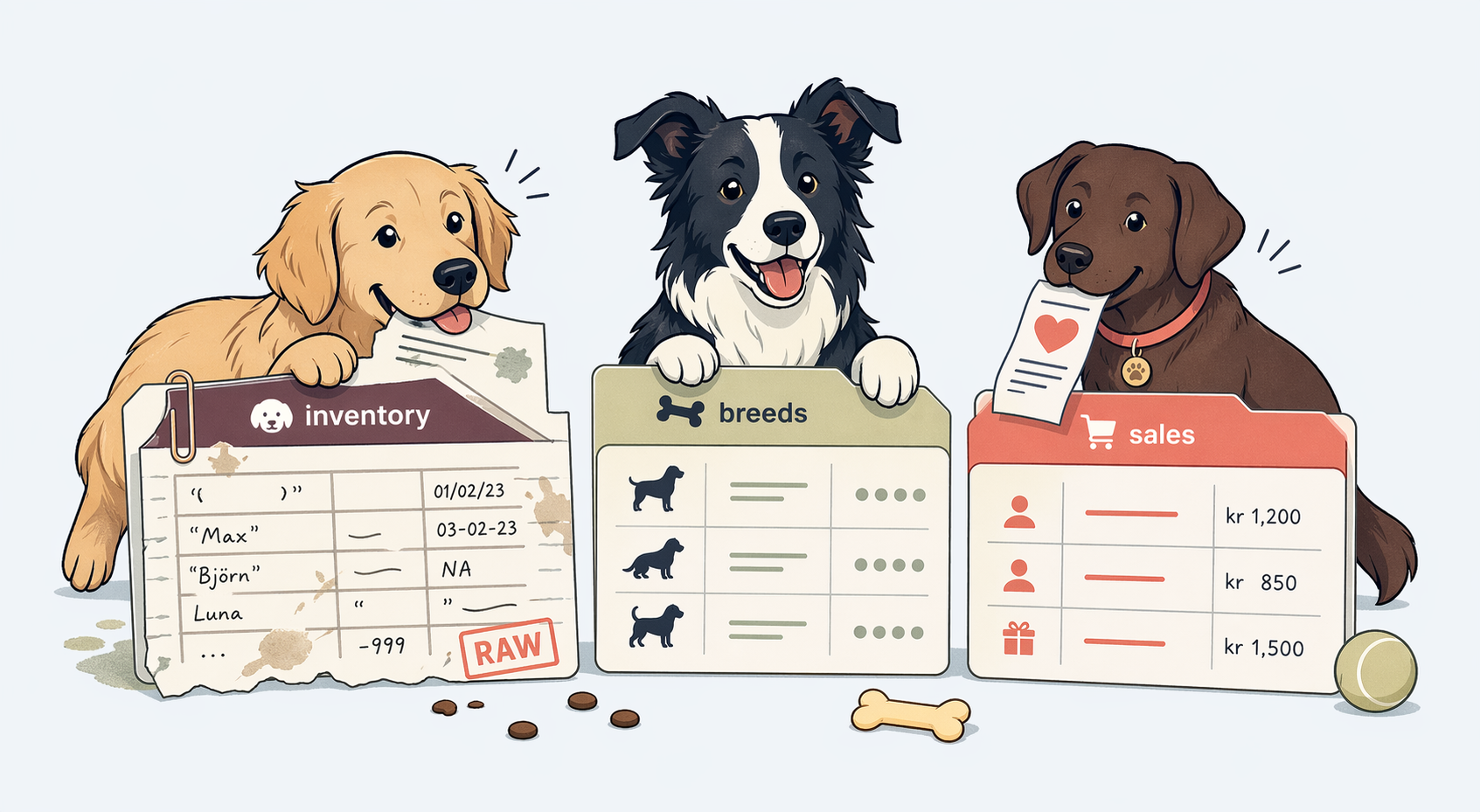
Let’s import data from an AI-generated kennel

  • dog_inventory.csv our inventory
  • dog_breeds.csv a lookup-table of information
  • dog_events.csv event history for each dog
  • dog_sales.csv “market research”

dog_path <- here::here(
  "data-sources", "data", "dogs", "dog_inventory.csv"
)
list.files(
  dirname(dog_path),
  pattern = "^dog_.*\\.csv$"
)
[1] "dog_breeds.csv"    "dog_events.csv"    "dog_inventory.csv" "dog_sales.csv"    
View your raw data

readLines(dog_path, n = 6)
[1] "Dog Shelter Intake Data - Q1 2025 Records with Pricing and owner Info"           
[2] "Last updated 2025-03-31"                                                         
[3] "---"                                                                             
[4] ""                                                                                
[5] "dog_id,name,breed,age,color,price,insured,intake_date,sale_date,new owner"       
[6] "0013,Buddy,Labrador Retriever,5,Yellow,450.50,1,2023-01-15,03/20-2023,John Smith"

fread() is forgiving, but can’t solve all issues

fread(dog_path)[3:4]
Warning in fread(dog_path): Discarded single-line footer: <<The data is
computer-generated for educational purposes.>>
   dog_id   name            breed   age  color  price insured intake_date  sale_date
    <int> <char>           <char> <int> <char>  <num>   <int>      <IDat>     <char>
1:   4200    Max Golden Retriever     7 Golden 550.75       0  2023-03-05 06/15-2023
2:   6152  Daisy          Bulldog     4  White 700.00       1  2023-04-20 07/11-2023
         new owner
            <char>
1:   James Johnson
2: Ren\xe9e Dubois
  • Good news: fread() found the real header
  • Less good: that still does not mean the import is correct

Encoding problems show up in the values

fread(dog_path)[c(4, 6), .(name, `new owner`)]
Warning in fread(dog_path): Discarded single-line footer: <<The data is
computer-generated for educational purposes.>>
      name          new owner
    <char>             <char>
1:   Daisy    Ren\xe9e Dubois
2: L\xfana Sof\xeda M\xfcller
  • Computers need to encode characters to store them
  • Unfortunately there are tons of different encodings
  • A-Z, 0-9 is usually the same, but code for e.g. å can vary
  • Can create a real mess…

Tell fread what you know

fread(
  dog_path,
  skip = 3,
  encoding = "Latin-1"
)[c(4, 6), .(name, `new owner`)]
Warning in fread(dog_path, skip = 3, encoding = "Latin-1"): Discarded single-line footer:
<<The data is computer-generated for educational purposes.>>
     name    new owner
   <char>       <char>
1:  Daisy Renée Dubois
2:   Lúna Sofía Müller
  • skip = 3 removes the preamble explicitly
  • encoding = "Latin-1" tells fread the file is in Latin-1 (an old single-byte Western European encoding)

Repairing names

names(fread(dog_path, skip = 3, encoding = "Latin-1"))[9:10]
[1] "sale_date" "new owner"
names(fread(dog_path, skip = 3, encoding = "Latin-1", check.names = TRUE))[9:10]
[1] "sale_date" "new.owner"

check.names = TRUE converts spaces into syntactic names

Protect identifiers at import time

dogs_bad <- fread(dog_path, skip = 3, encoding = "Latin-1")
dogs_good <- fread(
  dog_path,
  skip = 3,
  encoding = "Latin-1",
  colClasses = list(character = "dog_id")
)

dogs_bad[1:5, dog_id]
[1]   13 3382 4200 6152 8186
dogs_good[1:5, dog_id]
[1] "0013" "3382" "4200" "6152" "8186"

A good import call is explicit

dogs <- fread(
  dog_path,
  skip = 3,
  encoding = "Latin-1",
  check.names = TRUE,
  na.strings = c("", "-99"),
  colClasses = list(character = "dog_id")
)

dogs[1:3, .(dog_id, name, intake_date, sale_date, new.owner)]
   dog_id   name intake_date  sale_date     new.owner
   <char> <char>      <IDat>     <char>        <char>
1:   0013  Buddy  2023-01-15 03/20-2023    John Smith
2:   3382   Lucy  2023-02-10 04/01-2023  Maria Garcia
3:   4200    Max  2023-03-05 06/15-2023 James Johnson

select the columns you use

fread(
  dog_path,
  skip = 3,
  encoding = "Latin-1",
  select = c(
    "dog_id",
    "name",
    "breed",
    "intake_date",
    "sale_date"
  ),
  colClasses = list(character = "dog_id")
)[1:5]
   dog_id    name              breed intake_date  sale_date
   <char>  <char>             <char>      <IDat>     <char>
1:   0013   Buddy Labrador Retriever  2023-01-15 03/20-2023
2:   3382    Lucy    German Shepherd  2023-02-10 04/01-2023
3:   4200     Max   Golden Retriever  2023-03-05 06/15-2023
4:   6152   Daisy            Bulldog  2023-04-20 07/11-2023
5:   8186 Charlie             Beagle  2023-05-11 08/02-2023

Importing Stata .dta files with haven

  • Use haven::read_dta(). Preserves Stata labels.
  • Convert to data.table with as.data.table(),
  • Set value labels with as_factors()
library(haven)

stata_dt = read_dta("path/to/stata_file.dta") |>
  as.data.table()

stata_dt[, factor_variable := as_factor(labelled_variable)]

Reading excel files with readxl

library(readxl)
excel_dt = read_excel("path/to/spreadsheet.xlsx")

readxl supports selecting sheets:

excel_sheets("path/to/spreadsheet.xlsx")
read_excel("spreadsheet.xlsx", sheet = "Sheet2")

and even specific ranges:

read_excel("spreadsheet.xlsx", range = "A1:D10", skip = 2)

Core data.table Grammar

  • Importing Data

  • Core data.table Grammar

  • Useful data.table Tooling

  • Grouping and Summarizing

  • Missing Values And Type Repair

  • Writing Clean Data

  • Using Functions when Wrangling

data.table and dplyr

  • Two dominant paradigms for data manipulation in R
  • Both are powerful and widely used, but with different syntax
  • We will focus on data.table, because it is much faster

data.table: Core concept

  • An enhancement of base R’s data.frame
  • Fast: Operations implemented in C
  • Memory efficient: Modifies by reference using :=
  • Indexing: Automatic indexing speeds up subsets and joins
  • Concise syntax: Combines operations efficiently

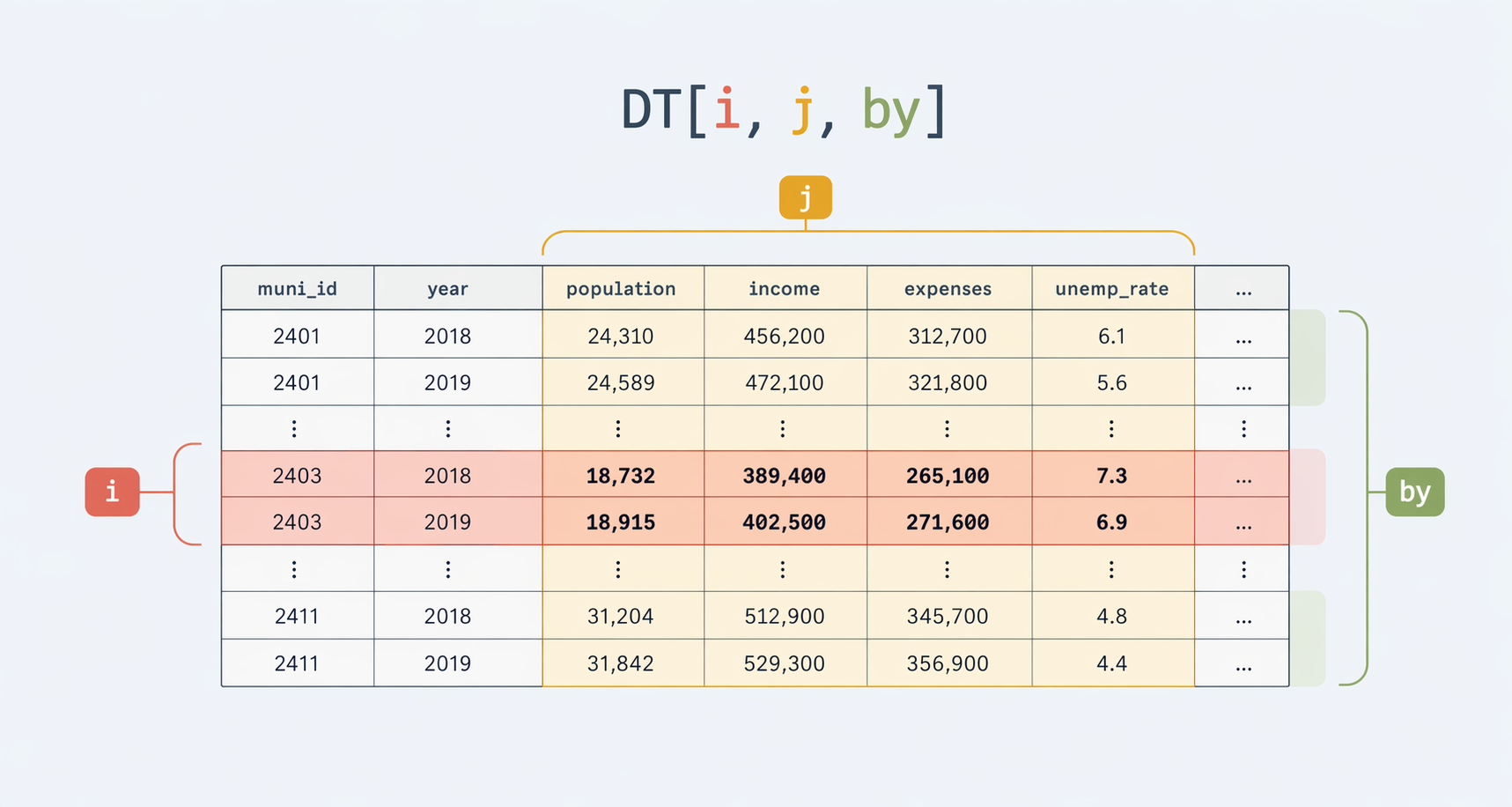
Read DT[i, j, by] as a sentence

“from this table, keep these rows (i), then return (and compute) these columns (j), grouped by these variables (by)”

i filters rows

dogs[
  age >= 5 & price > 500,
  .(dog_id, name, breed, age, price)
]
    dog_id     name            breed   age   price
    <char>   <char>           <char> <int>   <num>
 1:   4200      Max Golden Retriever     7  550.75
 2:   4094   Cooper        Dachshund     5  650.50
 3:   6988     Bear            Boxer     6  900.00
---                                               
75:   8279   Bonnie     Irish Setter     7  690.50
76:   9367   Fluffy    Border Collie     8  600.00
77:   0126 Leo King          Whippet     5 1010.50

i can use membership too

dogs[
  breed %in% c("Pug", "Boxer", "Border Collie") & insured == 1,
  .(dog_id, name, breed, insured)
]
    dog_id   name         breed insured
    <char> <char>        <char>   <int>
 1:   2652   Milo         Boxer       1
 2:   6635  Bella         Boxer       1
 3:   6988   Bear         Boxer       1
---                                    
18:   3599 Brutus           Pug       1
19:   4636  Balto Border Collie       1
20:   2977  Major           Pug       1

%between% filters ranges

dogs[
  price %between% c(400, 700) & age %between% c(2, 5),
  .(dog_id, name, age, price)
]
    dog_id     name   age price
    <char>   <char> <int> <num>
 1:   0013    Buddy     5 450.5
 2:   3382     Lucy     3 600.0
 3:   6152    Daisy     4 700.0
---                            
33:   5497 Clifford     5 680.0
34:   2738   Ripley     2 610.5
35:   5771    Slick     4 670.0
  • Shorthand for x >= a & x <= b, both endpoints included
  • Reads closer to intent than a chained comparison

j selects columns

dogs[
  ,
  .(dog_id, name, breed, age, price, insured)
]
     dog_id     name              breed   age   price insured
     <char>   <char>             <char> <int>   <num>   <int>
  1:   0013    Buddy Labrador Retriever     5  450.50       1
  2:   3382     Lucy    German Shepherd     3  600.00       1
  3:   4200      Max   Golden Retriever     7  550.75       0
 ---                                                         
169:   8857    Snowy              Corgi     2  990.00      NA
170:   0126 Leo King            Whippet     5 1010.50       0
171:   8159      Tut            Whippet     0  750.75       1

j can compute new outputs

dogs[
  age > 0,
  .(
    dog_id,
    name,
    breed,
    price_per_year = round(price / age, 1)
  )
][1:8]
   dog_id    name              breed price_per_year
   <char>  <char>             <char>          <num>
1:   0013   Buddy Labrador Retriever           90.1
2:   3382    Lucy    German Shepherd          200.0
3:   4200     Max   Golden Retriever           78.7
4:   6152   Daisy            Bulldog          175.0
5:   8186 Charlie             Beagle           50.0
6:   1893    Lúna            Bulldog          400.0
7:   4094  Cooper          Dachshund          130.1
8:   1099   Sadie          Dachshund           50.0

:= modifies by reference

dogs_work <- copy(dogs)

dogs_work[, price_per_year := fifelse(
  age > 0,
  round(price / age, 1),
  NA_real_
)]

dogs_work[
  1:5,
  .(dog_id, name, age, price, price_per_year)
]
   dog_id    name   age  price price_per_year
   <char>  <char> <int>  <num>          <num>
1:   0013   Buddy     5 450.50           90.1
2:   3382    Lucy     3 600.00          200.0
3:   4200     Max     7 550.75           78.7
4:   6152   Daisy     4 700.00          175.0
5:   8186 Charlie     6 300.25           50.0

Use copy() when you need separation

"price_per_year" %in% names(dogs)
[1] FALSE
"price_per_year" %in% names(dogs_work)
[1] TRUE

Comparison to dplyr

  • Part of the Tidyverse collection of packages
  • Focuses on readability and consistency
  • Uses distinct “verbs” for common operations

data.table

data[condition,
     .(new_var = mean(old_var)),
     by = "group_var"]

dplyr

data |>
  filter(condition) |>
  group_by(group_var) |>
  summarise(new_var = mean(old_var))

data.table vs. dplyr - key differences

data.table

  • Pros: Speed, memory efficiency, concise syntax, powerful indexing/joins. Ideal for large data.
  • Cons: Steeper learning curve, syntax less “English-like”, modify-by-reference needs care.

dplyr

  • Pros: Highly readable verbs, Tidyverse integration (ggplot2, etc.).
  • Cons: Slower, uses more memory, especially on large data or complex groups.

Useful data.table Tooling

  • Importing Data

  • Core data.table Grammar

  • Useful data.table Tooling

  • Grouping and Summarizing

  • Missing Values And Type Repair

  • Writing Clean Data

  • Using Functions when Wrangling

Setting a key creates an index for faster operations

dogs[, .(dog_id, name, breed)][1:2]
   dog_id   name              breed
   <char> <char>             <char>
1:   0013  Buddy Labrador Retriever
2:   3382   Lucy    German Shepherd
setkey(dogs, dog_id, breed)
dogs[, .(dog_id, name, breed)][1:2]
Key: <dog_id, breed>
   dog_id   name              breed
   <char> <char>             <char>
1:   0009  Scout      Border Collie
2:   0013  Buddy Labrador Retriever

Removing columns by reference with := NULL

dogs_work[, price_per_year := NULL]
"price_per_year" %in% names(dogs_work)
[1] FALSE

Renaming and reordering by reference

dogs_demo <- copy(dogs)

setnames(dogs_demo, c("new.owner", "intake_date"), c("owner", "intake"))
setcolorder(dogs_demo, c("dog_id", "name", "breed", "owner"))

names(dogs_demo)
 [1] "dog_id"    "name"      "breed"     "owner"     "age"       "color"     "price"    
 [8] "insured"   "intake"    "sale_date"
  • := NULL deletes
  • setnames() renames
  • setcolorder() reorders

fcase() is cleaner than nested ifelse()

dogs_work[, fee_group := fcase(
  price < 400, "low",
  price < 700, "middle",
  default = "high"
)]

dogs_work[, .(dog_id, name, price, fee_group)]
     dog_id     name   price fee_group
     <char>   <char>   <num>    <char>
  1:   0013    Buddy  450.50    middle
  2:   3382     Lucy  600.00    middle
  3:   4200      Max  550.75    middle
 ---                                  
169:   8857    Snowy  990.00      high
170:   0126 Leo King 1010.50      high
171:   8159      Tut  750.75      high

Diagnose distinct values and duplicates

dogs[, .(
  rows = .N,
  distinct_ids = uniqueN(dog_id),
  distinct_breeds = uniqueN(breed)
)]
    rows distinct_ids distinct_breeds
   <int>        <int>           <int>
1:   171          170              21
dogs[duplicated(dogs, by = "dog_id"), .(dog_id, name)]
   dog_id   name
   <char> <char>
1:   4200    Max
dim(unique(dogs, by = "dog_id"))
[1] 170  10
  • uniqueN() counts distinct values; unique() returns them
  • uniqueN(key) == nrow(dt) is a one-line uniqueness test
  • duplicated(dt, by = ...) lists offending rows
  • unique(dt, by = ...) keeps one row per key

Piping with data.table

  • data.table supports the native pipe |>
  • Use _ as a placeholder for the output of the previous step
dogs |>
  _[age > 0] |>
  _[, price_per_yr := round(price / age)] |>
  _[order(-price_per_yr)] |>
  _[, .(dog_id, name, price_per_yr)]
     dog_id     name price_per_yr
     <char>   <char>        <num>
  1:   6447 Hercules         1000
  2:   6941   Zephyr          950
  3:   9866   Cherry          790
 ---                             
160:   6197    Benji           49
161:   6596    Oscar           46
162:   1976    Honey           41

Grouping and Summarizing

  • Importing Data

  • Core data.table Grammar

  • Useful data.table Tooling

  • Grouping and Summarizing

  • Missing Values And Type Repair

  • Writing Clean Data

  • Using Functions when Wrangling

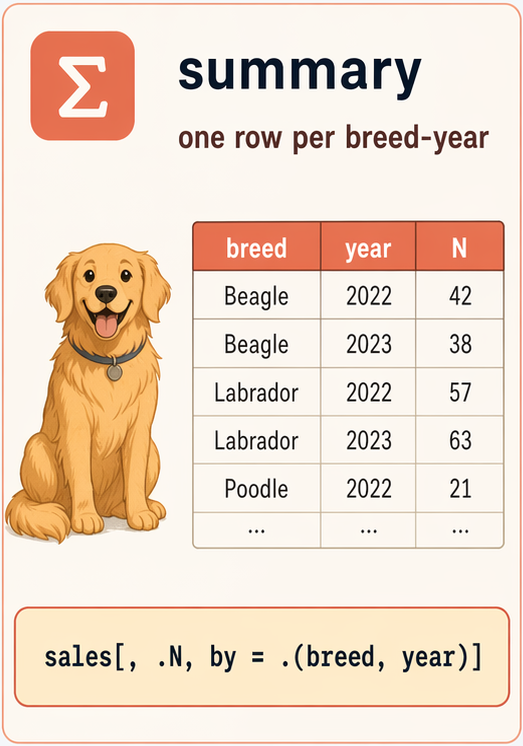
Grouping and summarizing with by=

  • i chooses rows
  • j says what to return or compute
  • by says which groups should get separate answers

Grouping and summarizing with by= (cont.)

Evaluate j separately for each group:

dogs[, mean(price), by = .(insured)]
   insured       V1
     <int>    <num>
1:       0 651.2295
2:       1 735.3387
3:      NA 810.1875

Can group by multiple variables, and by conditions:

dogs[, mean(price), 
     by = .(insured, 
            white = color == "White")]
   insured  white       V1
     <int> <lgcl>    <num>
1:       0  FALSE 651.4461
2:       1  FALSE 735.5226
3:       1   TRUE 733.7500
4:       0   TRUE 650.1250
5:      NA  FALSE 883.3333
6:      NA   TRUE 590.7500

Grouping and summarizing with by= (cont.)

Find cheapest dog by breed, ordered by how frequent the breed is

dogs[, .(.N, min(price)), by = "breed"] |>
  _[order(-N)]
                       breed     N     V2
                      <char> <int>  <num>
 1:                      Pug    16 600.00
 2:                  Whippet    15 560.00
 3:            Border Collie    13 510.00
---                                      
19:          Irish Wolfhound     4 840.25
20:                  Bulldog     3 700.00
21: Chesapeake Bay Retriever     2 720.00

Grouped counts are useful diagnostics

dogs[, .(
  rows = .N,
  missing_sale_date = sum(is.na(sale_date)),
  insured_share = round(mean(insured == 1, na.rm = TRUE), 2)
), by = breed][order(-rows)]
                       breed  rows missing_sale_date insured_share
                      <char> <int>             <int>         <num>
 1:                      Pug    16                 3          0.73
 2:                  Whippet    15                 4          0.71
 3:            Border Collie    13                 2          0.31
---                                                               
19:          Irish Wolfhound     4                 2          1.00
20:                  Bulldog     3                 1          1.00
21: Chesapeake Bay Retriever     2                 0          1.00

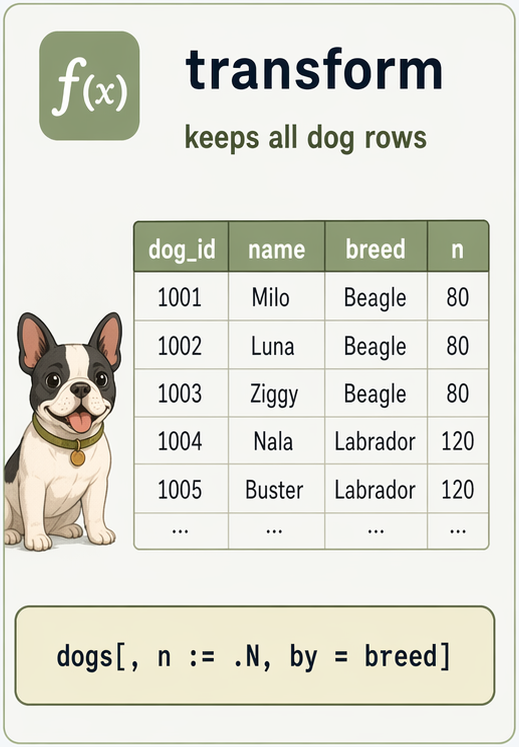
Transforming with := and by=

Saving the average price by age to a new column, repeating the summary for each row in group:

dogs[, avg_price_by_age := mean(price),
     by = .(age)]

dogs[order(age),
     .(age, avg_price_by_age)]
       age avg_price_by_age
     <int>            <num>
  1:    -5        1120.0000
  2:    -4         820.0000
  3:    -3         740.5000
 ---                       
169:    10         545.3125
170:    10         545.3125
171:    11         540.0000

Grouped transformations create new columns

copy(dogs) |>
  _[, price_gap_from_breed_mean :=
    price - mean(price, na.rm = TRUE),
    by = breed] |>
  _[breed %in% c("Pug", "Boxer"),
    .(dog_id, name, breed, price, price_gap_from_breed_mean)]
Key: <dog_id, breed>
    dog_id     name  breed  price price_gap_from_breed_mean
    <char>   <char> <char>  <num>                     <num>
 1:   1927   Oliver    Pug 750.00                 -95.82812
 2:   2370     Juno    Pug 910.00                  64.17188
 3:   2646 Snowball    Pug 620.50                -225.32812
---                                                        
21:   8522    Rocky  Boxer 500.00                -177.30714
22:   9883    Simba    Pug 930.00                  84.17188
23:   9988    Ziggy  Boxer 610.25                 -67.05714

.SD

Inside a data.table, .SD refers to the Subset of Data for each group.

We can use this to run more complex operations, like

dogs[, lapply(.SD, func), by = ...]

applying a custom function func to each .SD group.

.SDcols

Specifies the columns included in .SD. Can be used to select columns in smart ways.

dogs[, c(
  list(dogs = .N),
  lapply(.SD, function(x) round(mean(x, na.rm = TRUE), 2))
), by = breed, .SDcols = c("age", "price")]
                 breed  dogs   age  price
                <char> <int> <num>  <num>
 1:      Border Collie    13  5.00 678.60
 2: Labrador Retriever     6  3.00 708.71
 3:            Whippet    15  3.87 739.70
---                                      
19:          Dalmatian    12  5.00 658.62
20:       Irish Setter    10  4.90 676.28
21:             Beagle     7  5.14 536.00

Use shift() to create a lagged vector

shift() returns a lagged vector within groups

events
    dog_id          event_time event_type           shelter_name staff_id event_date
    <char>              <POSc>     <char>                 <char>   <char>     <IDat>
 1:   0013 2023-01-15 08:42:00     intake     Happy Paws Shelter      A12 2023-01-15
 2:   0013 2023-03-20 23:40:00    adopted     Happy Paws Shelter      B07 2023-03-20
 3:   3382 2023-02-10 09:05:00     intake       City Animal Care      A12 2023-02-10
---                                                                                 
81:   1254 2023-09-16 13:25:00  vet_check     Happy Paws Shelter      V01 2023-09-16
82:   4094 2023-09-04 14:50:00  vet_check     Happy Paws Shelter      V01 2023-09-04
83:   5522 2024-01-08 10:20:00  vet_check Willow Creek Adoptions      V03 2024-01-08
setorder(events, dog_id, event_time) # setorder() is crucial!
events[,
  hours_since_previous_event := round(
    as.numeric(difftime(event_time, shift(event_time), units = "hours")), 1
  ),
  by = dog_id
]
events[
  dog_id %in% c("0013", "3382"),
  .(dog_id, event_time, event_type, hours_since_previous_event)
]
   dog_id          event_time event_type hours_since_previous_event
   <char>              <POSc>     <char>                      <num>
1:   0013 2023-01-15 08:42:00     intake                         NA
2:   0013 2023-03-20 23:40:00    adopted                     1551.0
3:   3382 2023-02-10 09:05:00     intake                         NA
4:   3382 2023-02-13 14:30:00  vet_check                       77.4
5:   3382 2023-04-01 11:30:00    adopted                     1124.0

Missing Values And Type Repair

  • Importing Data

  • Core data.table Grammar

  • Useful data.table Tooling

  • Grouping and Summarizing

  • Missing Values And Type Repair

  • Writing Clean Data

  • Using Functions when Wrangling

Missing values are a workflow issue

  • Some missings are genuine unknowns
  • Some are fake codes like -99
  • Some are actually impossible values that should become NA

Code fake missings at read time when you can

dogs_raw <- fread(dog_path, skip = 3, encoding = "Latin-1")
dogs <- fread(
  dog_path,
  skip = 3,
  encoding = "Latin-1",
  check.names = TRUE,
  na.strings = c("", "-99"),
  colClasses = list(character = "dog_id")
)

unique(dogs_raw$insured)
[1]   1   0  NA -99
unique(dogs$insured)
[1]  1  0 NA

Use is.na() explicitly

dogs[is.na(insured), .(dog_id, name, insured)]
   dog_id    name insured
   <char>  <char>   <int>
1:   6015 Patches      NA
2:   6941  Zephyr      NA
3:   4890  Anubis      NA
4:   8857   Snowy      NA

Some values are not missing, just wrong

dogs[age < 0, .(dog_id, name, age)]
   dog_id    name   age
   <char>  <char> <int>
1:   6455    Coco    -1
2:   6859  Härley    -3
3:   4967    Növa    -2
4:   6301 Düke II    -4
5:   5131     Rex    -2
6:   7690  Wolfie    -5

Repair obvious problems explicitly

dogs_fixed <- copy(dogs)
dogs_fixed[age < 0, age := NA_integer_]

dogs_fixed[, .(
  missing_age = sum(is.na(age)),
  missing_sale_date = sum(is.na(sale_date)),
  missing_insured = sum(is.na(insured))
)]
   missing_age missing_sale_date missing_insured
         <int>             <int>           <int>
1:           6                37               4

fcoalesce() fills missings with a default

dogs_fixed[, owner_label := fcoalesce(new.owner, "not yet sold")]

dogs_fixed[
  is.na(new.owner),
  .(dog_id, name, new.owner, owner_label)
][1:5]
   dog_id    name new.owner  owner_label
   <char>  <char>    <char>       <char>
1:   6988    Bear      <NA> not yet sold
2:   8380    Ruby      <NA> not yet sold
3:   8774    Duke      <NA> not yet sold
4:   1288   Penny      <NA> not yet sold
5:   8853 Winston      <NA> not yet sold
  • Returns the first non-NA value, argument by argument
  • Replaces nested ifelse(is.na(x), y, x) patterns
  • Accepts more than two arguments: fcoalesce(a, b, c)

Date parsing is a type problem too

class(dogs$intake_date)
[1] "IDate" "Date" 
class(dogs$sale_date)
[1] "character"
  • intake_date was parsed as IDate (data.table’s date type, inherits from Date)
  • sale_date is still text — the 03/20-2023 format wasn’t recognized

Parse the dates explicitly

dogs_fixed[, sale_date := as.IDate(sale_date, format = "%m/%d-%Y")]

class(dogs_fixed$sale_date)
[1] "IDate" "Date" 
dogs_fixed[1:3, .(dog_id, intake_date, sale_date)]
   dog_id intake_date  sale_date
   <char>      <IDat>     <IDat>
1:   0013  2023-01-15 2023-03-20
2:   3382  2023-02-10 2023-04-01
3:   4200  2023-03-05 2023-06-15
  • as.IDate() parses text into IDate, given the format string
  • %m/%d-%Y matches 03/20-2023: month, /, day, -, four-digit year

Writing Clean Data

  • Importing Data

  • Core data.table Grammar

  • Useful data.table Tooling

  • Grouping and Summarizing

  • Missing Values And Type Repair

  • Writing Clean Data

  • Using Functions when Wrangling

Separate raw, processed, and analysis steps

  • Raw files are inputs
  • Processed files are reproducible intermediate outputs
  • Analysis starts from processed data, not from manual edits

Write a cleaned file with fwrite()

out_dir <- file.path(tempdir(), "ec7422-wrangling")
dir.create(out_dir, showWarnings = FALSE)

out_path <- file.path(out_dir, "dogs_clean.csv")
fwrite(dogs_fixed, out_path)

Read it back and verify

dogs_roundtrip <- fread(
  out_path,
  colClasses = list(character = "dog_id")
)
dogs_roundtrip[1:3, .(dog_id, name, age, sale_date)]
   dog_id   name   age  sale_date
   <char> <char> <int>     <IDat>
1:   0013  Buddy     5 2023-03-20
2:   3382   Lucy     3 2023-04-01
3:   4200    Max     7 2023-06-15

Using Functions when Wrangling

  • Importing Data

  • Core data.table Grammar

  • Useful data.table Tooling

  • Grouping and Summarizing

  • Missing Values And Type Repair

  • Writing Clean Data

  • Using Functions when Wrangling

Repetition is the best reason to write a function

  • repeated import rules
  • repeated validation checks
  • repeated cleaning with one file path changed
  • repeated summaries that should agree exactly

A wrangling function should show its contract

  • explicit arguments
  • one clear output
  • no hidden dependence on objects in the global environment
  • one place to store the weird file-specific rules

Put the dog import rules in one place

read_dogs <- function(path) {
  fread(
    path,
    skip = 3,
    encoding = "Latin-1",
    check.names = TRUE,
    na.strings = c("", "-99"),
    colClasses = list(character = "dog_id")
  )
}

read_dogs(dog_path)[
  1:3,
  .(dog_id, name, intake_date, sale_date)
]
   dog_id   name intake_date  sale_date
   <char> <char>      <IDat>     <char>
1:   0013  Buddy  2023-01-15 03/20-2023
2:   3382   Lucy  2023-02-10 04/01-2023
3:   4200    Max  2023-03-05 06/15-2023

Hidden globals make even simple functions misleading

bad_oldest <- function(dt) dogs[which.max(age), .(dog_id, name, age)]
oldest_dog <- function(dt) dt[which.max(age), .(dog_id, name, age)]

puppies <- dogs[age <= 2]

bad_oldest(puppies)
   dog_id   name   age
   <char> <char> <int>
1:   6197  Benji    11
oldest_dog(puppies)
   dog_id   name   age
   <char> <char> <int>
1:   1893   Lúna     2

Returning a table keeps the effect visible

add_senior_flag <- function(dt, age_cutoff = 7L) {
  out <- copy(dt)
  out[, senior := age >= age_cutoff]
  out
}

add_senior_flag(dogs)[, .(dog_id, age, senior)]
     dog_id   age senior
     <char> <int> <lgcl>
  1:   0013     5  FALSE
  2:   3382     3  FALSE
  3:   4200     7   TRUE
 ---                    
169:   8857     2  FALSE
170:   0126     5  FALSE
171:   8159     0  FALSE

Default arguments keep small helpers flexible

add_senior_flag(dogs)[, .N, by = senior]
   senior     N
   <lgcl> <int>
1:  FALSE   131
2:   TRUE    40
add_senior_flag(dogs, age_cutoff = 9L)[, .N, by = senior]
   senior     N
   <lgcl> <int>
1:  FALSE   159
2:   TRUE    12

Main takeaways

  • A successful import is not the same as a correct import
  • Inspect names, types, keys, and missingness immediately
  • Read DT[i, j, by] as “i=rows, j=columns/calculations, by=groups”
  • Use := deliberately and copy() when you need separation

Next lecture: advanced wrangling